How to find the first numerical value in a range
The following Excel formula will give you the first numerical value in a range (whether a row or column):
Conceptual Formula:
{=INDEX(RangeToSearch, MATCH(TRUE, ISNUMBER(RangeToSearch), 0)}
where RangeToSearch is a range such as $F$13:$P$13.
Example:
{=INDEX($F$13:$P$13, MATCH(TRUE, ISNUMBER($F$13:$P$13), 0))}
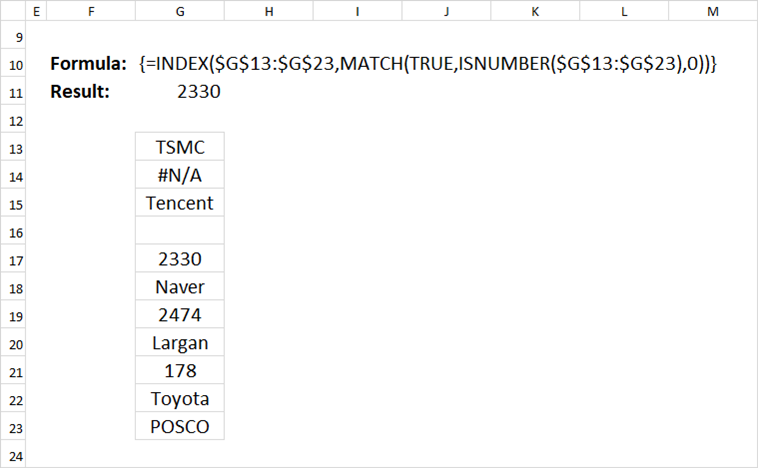
This formula works whether the range is a row or column. (but not for multiple rows/columns). It works even if there are #N/A or text values in the range.
However, the formula will give an #N/A if there is no number in the range. We can add error handling to the formula, with the following:
With error handling:
{=IF(COUNT(RangeToSearch)>0, INDEX(RangeToSearch, MATCH(TRUE, ISNUMBER(RangeToSearch),0)), ValueifError)
where ValueifError is the value if there are no numbers in the range. Count(RangeToSearch) counts the number of numerical values in the range RangeToSearch.
Example:
=IF(COUNT($F$23:$P$23)>0, INDEX($F$23:$P$23, MATCH(TRUE, ISNUMBER($F$23:$P$23), 0)), "No number in range")
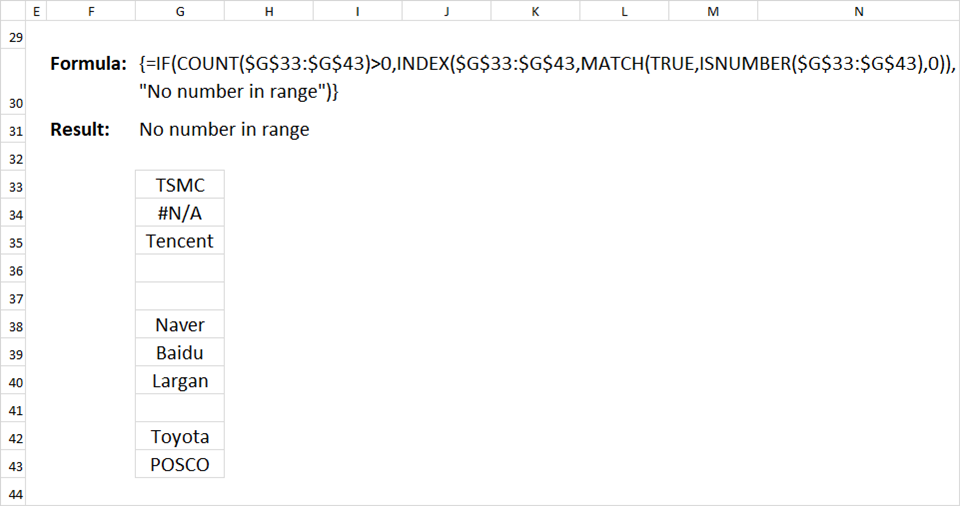
Note: These are array formulas, so it must be entered using Shift-Ctrl-Enter.